Font Copy and Paste – Free Fancy Text Generator Online
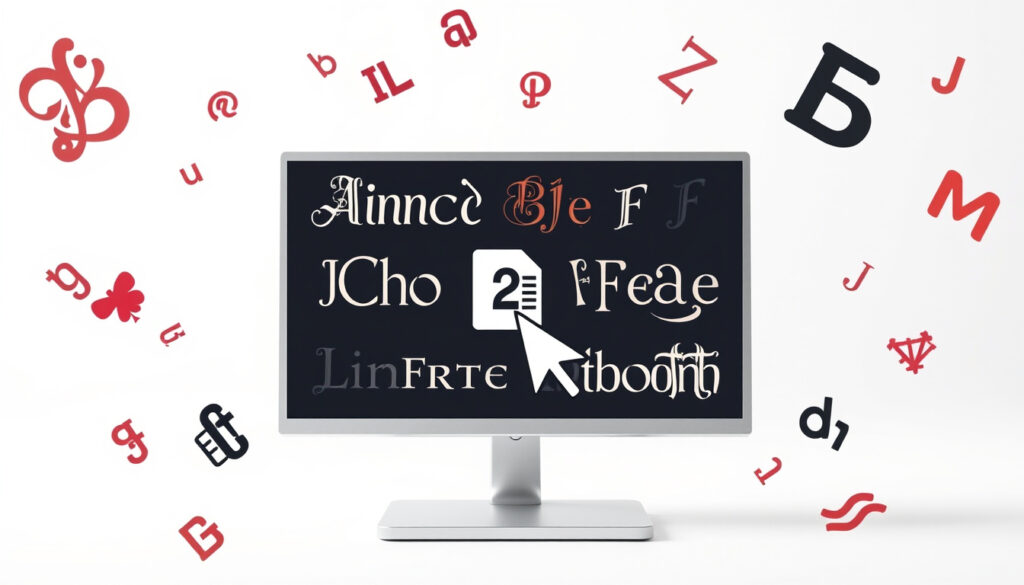
You have likely seen those Instagram bios with cursive letters or bubble text and wondered how they pulled it off. They are not using real fonts — most of these “fancy fonts” are actually clever Unicode substitutions that work without changing your device’s typeface. This guide explains the trick behind font copy and paste tools, shows you how to use them, and highlights what to watch out for so your text looks great everywhere.
Number of text styles available: 200+ ·
Top font generator tool: Lingojam Fancy Text Generator ·
Primary use case: Social media profiles and bios
Quick snapshot
- Font generators convert normal text into Unicode characters that look styled (LingoJam’s Fancy Text Generator)
- All top 5 font generator tools are free to use (Namecheap’s Font Generator)
- Fancy fonts can be copied and pasted into Instagram and TikTok (Microsoft Tech Community)
- The exact percentage of social media users who use fancy fonts is not known (LingoJam warns about box-glyph issues)
- Whether all font styles display correctly on every device and browser remains uncertain (LingoJam warns about box-glyph issues)
- Unicode font usage continues to grow across social media platforms, with more users adopting styled text for branding and personal expression (TextTrick)
- Platforms may improve native support for Unicode-styled text, reducing reliance on external generators (CopyFontsOnline)
| Label | Value |
|---|---|
| Origin of Unicode | Unicode Consortium, first published in 1991 (Wikipedia) |
| Total Unicode characters | Over 140,000 (Wikipedia) |
| Mathematical alphanumeric symbols block | Provides many styled letter variants used by font generators (TextTrick) |
What Are Font Copy and Paste Symbols and Aesthetic Fonts?
Font copy and paste symbols are not real font files — they are Unicode characters that visually resemble different typefaces. When you use a tool like LingoJam’s Fancy Text Generator, it replaces each letter of your typed text with a corresponding symbol from Unicode’s vast character set. This includes characters from the Mathematical Alphanumeric Symbols block, which contains bold, italic, script, and fraktur variants.
How to identify font copy and paste symbols?
- They look like normal letters but are encoded as different code points (Namecheap’s Font Generator)
- Common examples include 𝕒 (double-struck), 𝒶 (script), and 𝖺 (sans-serif)
- You can check the actual characters using a Unicode inspector tool like r12a’s Unicode converter
Where are aesthetic fonts most commonly used?
Aesthetic fonts—those with curls, swashes, or decorative marks—are popular in Instagram bios, Discord usernames, and TikTok profiles. According to Microsoft Tech Community discussions, many users copy fancy text specifically to stand out in social media bios.
The pattern is clear: these tools let you personalize your online identity without learning design software. The trade-off is that not every platform renders every character the same way.
How to Use a Font Generator for Copy and Paste Fonts?
Using a font generator is straightforward. Most tools follow the same workflow: type your text, choose a style, copy the result, and paste it where you want. Below are the steps, based on how CopyFontsOnline and similar services operate.
Step-by-step process for using a font generator
- Visit a font generator website such as LingoJam, TextFancy, or TextTrick.
- Type or paste your desired text into the input box.
- Browse the generated styles – you will see options like bold, italic, cursive, and decorative.
- Click on the style you like; the tool automatically copies the transformed text to your clipboard (some require a manual copy button).
- Open your target app (Instagram, Twitter/X, Discord) and paste the text.
Social media users get standout bios in seconds, but should test on multiple devices because some Unicode characters show as blank boxes on older systems (LingoJam’s warning about box-glyph issues).
What Are the Different Types of Copy and Paste Fonts (Small, Cursive, Numbers)?
Font generators offer a range of stylistic categories. Each category uses a different subset of Unicode blocks. Knowing the type helps you pick the right look for your purpose.
How do small fonts work?
Small fonts—often called subscript or superscript—use Unicode characters that are inherently smaller than standard letters. For example, the subscript “₂” (U+2082) comes from the Superscripts and Subscripts block. TextTrick includes these in its generator, noting that they work well for usernames that need to fit character limits.
How to copy and paste cursive fonts?
Cursive fonts are mapped to Unicode script characters (like 𝒶 from the Mathematical Alphanumeric Symbols block) and calligraphic variants. According to Namecheap’s Font Generator, these are among the most popular choices for Instagram bios because they mimic handwriting.
What about number fonts?
Number fonts include circled digits (①, ②), fullwidth digits (123), and other variants. They are often used in list formatting or to create visual separation. CopyFontsOnline offers a dedicated set of number styles.
Why this matters: the diversity of Unicode blocks lets you mix styles for a unique look, but the more exotic the character, the higher the risk it won’t render on older software.
What Is the 21 Font Style Copy Paste Set?
The “21 font style copy paste” set is a popular collection of decorative styles that many generators bundle together. It likely originated from sites like Font Copy Paste and spread through social media forums.
Where did the 21 font style pack originate?
Although the exact origin is unclear, the set appears to be a compilation of the most visually distinct Unicode variants. TextTrick lists over 110 styles, and the 21-set is likely a subset of the most eye-catching ones.
Which styles are included in the 21 set?
Common styles include bold, italic, gothic, bubble, script, double-struck, monospace, and more. You can see a similar collection on LingoJam’s Fancy Text Generator, which offers dozens of variants.
The implication: having a specific set number (21) helps users quickly identify a ready-made palette of styles without having to browse through hundreds.
How to Find and Use Font Style Designs?
Beyond basic generators, many websites offer categorized “font style designs” that let you browse by theme—gothic, handwritten, decorative, and more. These designs are pre‑made Unicode combinations that you can copy and paste directly.
Where to browse font style designs?
Sites like Font Copy Paste and TextFancy categorize designs by mood. For example, “gothic” might use fraktur letters (𝔣𝔯𝔞𝔨𝔱𝔲𝔯) and “bubble” uses enclosed characters (🅱🆄🅱🅱🅻🅴).
How to preview and select a design?
Most design pages show a live preview of your text in each style. You click a style, and the tool copies the transformed string to your clipboard. CopyFontsOnline provides a simple interface: type your text, see all styles at once, and tap to copy.
CopyFontsOnline warns that screen readers may not interpret fancy text correctly, making your content less accessible for visually impaired users.
The catch: while design catalogs are convenient, they often group styles by visual theme rather than Unicode block, so you might encounter characters that behave differently across platforms.
Step-by-Step: How to Use a Font Copy and Paste Generator
For readers who want a quick recap of the process, here is a condensed step guide using Namecheap’s Font Generator as an example.
- Open the tool: Go to a generator like Namecheap’s or LingoJam’s.
- Type your text: Enter the word or phrase you want to style.
- Choose a style: Scroll through the output list and click the one you like.
- Copy: The tool copies the styled text to your clipboard automatically or after you click.
- Paste: Open Instagram, Discord, or any text field and paste.
Some generators also offer a “copy all” button that grabs every style at once—useful for testing.
What’s Clear and What’s Still Unclear
Confirmed facts
- Font generators convert text using Unicode characters from mathematical alphanumeric and other blocks (TextTrick)
- All top 5 font generator tools are free to use (Namecheap’s Font Generator)
- Fancy fonts can be copied and pasted into Instagram and TikTok (Microsoft Tech Community)
What’s unclear
- The exact percentage of social media users who use fancy fonts
- Whether all font styles display correctly on every device and browser (LingoJam’s warning about box-glyph issues)
What the Tools Say About Themselves
“This translator generates fancy symbols… rather than generating real fonts.”
— LingoJam’s Fancy Text Generator
“Our font generator… replaces standard Unicode characters with non-standard ones to create unique fonts.”
— Namecheap’s Font Generator
“Using Unicode character encoding, we create stylish text that can be copied and pasted anywhere.”
— TextTrick
“Screen readers may not be able to read fancy text effectively.”
— CopyFontsOnline
Related coverage: stylish Unicode fonts for Instagram fördjupar bilden av Font Copy and Paste: Stylish Text for Instagram & TikTok.
Frequently Asked Questions
Do font copy and paste tools work on iPhone?
Yes, most font generators are web-based and work in Safari or any browser on iPhone. Copy and paste works the same as on desktop.
Can I use fancy fonts in emails?
Some email clients (like Gmail) support Unicode-styled text, but others may strip the formatting. It is best to test with a recipient first.
Are font copy and paste symbols free?
All major font generators are free to use. No subscription or payment is required (Namecheap’s Font Generator).
How do I copy and paste fonts on Android?
Open the generator in Chrome or your default browser, follow the same steps, and paste into any app. Android handles Unicode text well.
What is the best font generator for WhatsApp?
Generators like LingoJam and TextTrick work fine for WhatsApp because the app supports Unicode.
Why do some fonts not show up on all devices?
The device’s font must include the specific Unicode character. If it does not, you see a blank box or a question mark (LingoJam explains this issue).
How to create your own fancy font style?
You cannot create new Unicode characters, but you can combine existing ones—such as stacking combining characters—to produce unique looks (TextTrick shows how combining marks work).
How do font generators differ from regular text?
Unlike normal fonts that change the typeface file, font generators map each letter to a different Unicode code point that merely looks like a styled version (LingoJam explains the mechanism).
Related reading: 6 Letter Word Finder — Free PDF Editor Online
More related posts
 Marvel Rivals Summer Skins 2025: Complete List & How to Get Them
 The Rookie Season 6: Where to Watch in France & Netflix
 HIT: The First Case – Is It a Flop, Remake, or True Story
 Cast of A Minecraft Movie: Jack Black, Jason Momoa & More
 CBP Halts IEEPA Tariffs After Supreme Court Ruling
 Mookie Betts Illness, Net Worth, and Career 2025 Update
 16 USD to CAD: Convert 16 US Dollars to Canadian Dollars